Data Backup and Disaster Recovery Services
for Real Business Continuity
Most businesses have a backup. Not all of them have a backup that works. The first time most teams actually try to restore from one is the day they need it, which is usually three days too late to find out something quietly broke six weeks ago.
Kelley Create handles backup and disaster recovery the way it’s supposed to work. Backups that run, that get tested with real restore drills, that survive ransomware attacks, that meet your actual recovery time requirements, and a disaster recovery plan that doesn’t just live in a binder. One partner. One tested process. One accountable partner.

we "checked" it for you


a backup that hasn’t been tested is just a guess
The “Backup” That Doesn’t Restore Isn’t a Backup
Backups run nightly. Nobody’s tested a restore in production conditions. The RTO is a guess. The RPO is whatever last night’s job captured.
The disaster recovery plan is a document from two years ago that mentions servers nobody currently runs. Ransomware insurance premiums went up because the audit asked questions the team couldn’t answer cleanly.
The right partner doesn’t sell you a backup product. They design backup and recovery around how fast the business needs to come back, and prove the design by testing the restore. That’s us.
What Is Backup and Disaster Recovery?
Backup is the copy of your data that lets you recover when something goes wrong. Disaster recovery is the plan for getting the business operating again when something bigger goes wrong (a server fails, a building floods, ransomware deploys, a critical cloud service fails). Together they’re sometimes called BDR or business continuity.
Modern backup and DR has to handle threats the original designs never anticipated: ransomware specifically targets backups, cloud apps store data in places traditional backup doesn’t reach, and recovery time expectations have collapsed from “by Friday” to “by lunch.” Kelley Create designs, deploys, and tests backup and DR for the way businesses operate now.






























Find Out Whether Your Backups Actually Work. Free Assessment. No Obligation.

talk to our creators
How Kelley Create Delivers Backup and Disaster Recovery
Four phases. Understand what’s at risk, design what fits, deploy and test, then run regular drills.
What systems matter, what data lives where, what your recovery time and recovery point requirements are. The risk picture before the design.
Backup architecture (on-prem, cloud, hybrid), immutability strategy, encryption, retention, DR runbooks, communication plans. Designed for ransomware survival, not just hardware failure.
Equipment installed, software configured, first full backup completed. Then we run the first real restore drill before we walk away. If it doesn’t restore, we fix it.
Scheduled restore drills (monthly or quarterly depending on risk profile). DR tabletop exercises. Runbook updates. The system stays current instead of quietly aging.
What’s Included in Backup and Disaster Recovery Services
Every BDR engagement scopes to your business.
One partner. One tested process. One accountable partner.

these components are standard
-
On-prem, cloud, or hybrid based on what fits your data volumes, RTO/RPO requirements, and compliance needs.
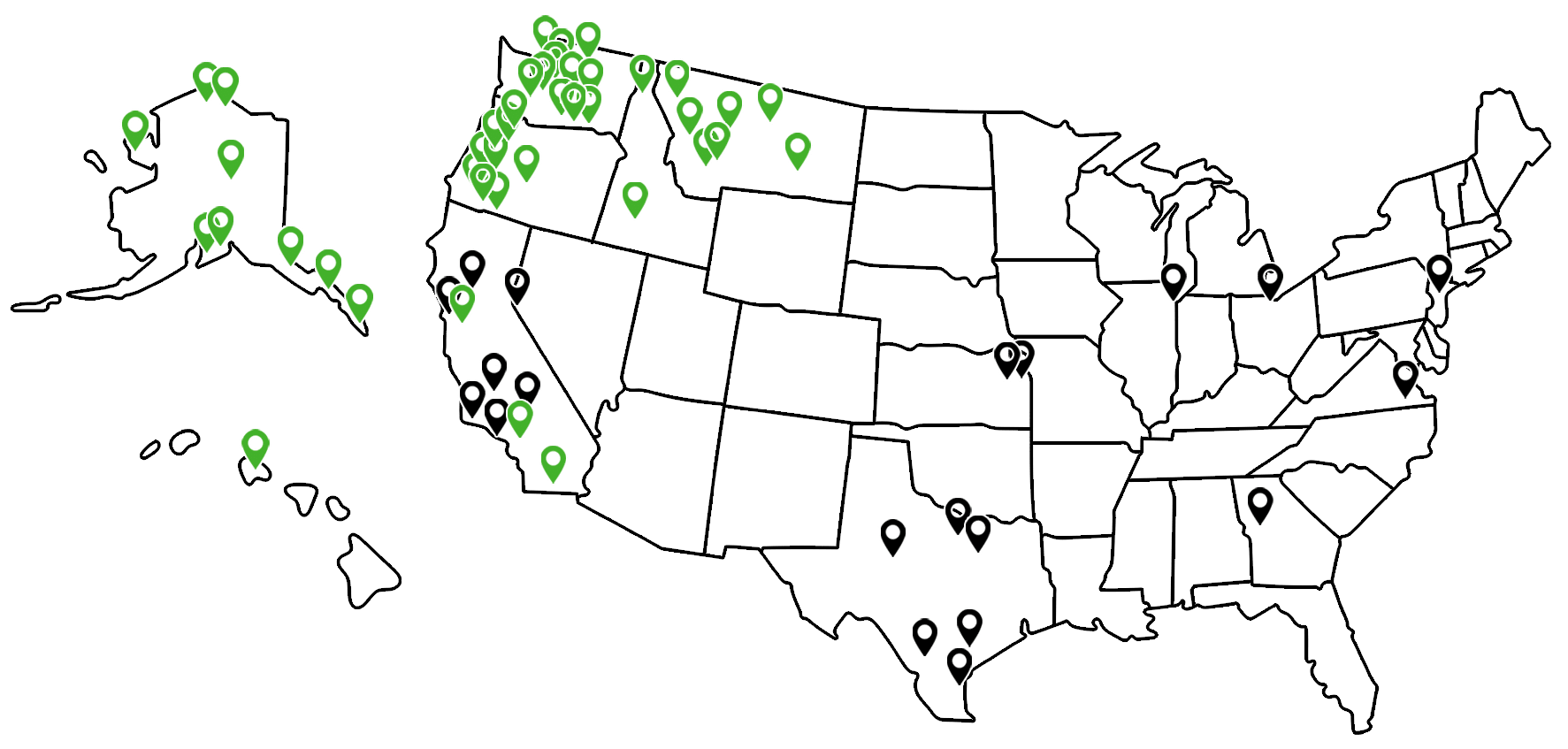
Local Backup Expertise, National Reach
Backup is one of the easier things to set up and one of the harder things to do well over years. Designs that worked in 2018 don’t survive modern ransomware. Designs that worked when everything was on-prem don’t cover cloud data.
Local. Regional teams who can do site visits, on-site restore drills, and the hands-on equipment work that backup occasionally requires.
National. Multi-location and multi-state operations get coordinated backup and DR across every site. Same architecture, same drills, same runbooks.
Why Partners Choose Kelley Create for Backup and Disaster Recovery
Backup and disaster recovery specialists.
The architect designing your recovery plan has tested restores in production environments. They’ve also seen what happens when the plan doesn’t work. Both kinds of experience matter when something goes wrong.
Tested restores, not assumed backups.
Scheduled restore drills are part of every engagement. Most clients discover their existing backups have been failing silently when we run the first test.
Ransomware-resilient by design.
Immutable backups, air-gapped copies, segmented credentials. The architecture assumes attackers will target backups first, because they do.
Microsoft 365 backed up.
Microsoft’s retention policies are not backup. We handle real third-party backup for the cloud data most teams assume is protected.
Recovery time that meets reality.
RTO and RPO requirements designed around what your business needs, not generic targets. The 36-hour restore is not acceptable for a business that needs to be up in 4.
DR plans that get rehearsed.
Tabletop exercises. Runbook updates. Contact list maintenance. The plan stays current instead of becoming a binder nobody opens.
Local accountability.
Regional teams who can be on-site for major recoveries. When a building floods, you want a tech showing up, not a help desk in another time zone.
Who Backup and Disaster Recovery Services Are For
Businesses whose backup…
hasn’t been tested in months or years. The first test is usually a surprise.
Organizations recovering from…
ransomware or close calls. The experience of trying to restore from compromised backups changes the conversation.
Multi-location operations…
needing coordinated backup and DR across every site, with consistent recovery capabilities.
Healthcare practices with…
EMR/EHR, patient records, and HIPAA compliance requirements that depend on backup integrity.
Financial services and professional firms with…
regulated data, retention requirements, and audit expectations around backup and recovery.
Companies relying on Microsoft 365…
without realizing Microsoft’s retention is not actually backup.
Case Studies: Cloud & IT Solutions
Real businesses. Real Outcomes. Click to view all Case Studies.









How Fast Could Your Business Recover From an Outage? Build a Disaster Recovery Plan That Minimizes Downtime and Data Loss.
click here to get started
Ready to Know Your Backup Actually Works?
Most businesses have a backup. Most businesses have not actually restored from it in the last six months. The difference between those two facts is where disasters live. Tested restores, ransomware-resilient design, DR plans that have been rehearsed. That’s what real business continuity looks like.
Free assessment. We audit your existing setup, run a real restore, identify the gaps, and produce a clear picture of what business continuity actually requires.

Frequently Asked Questions
-
How often should backups be tested?
Depends on risk profile. Most clients run monthly file-level restore tests and quarterly full DR drills. Healthcare and financial services often go more frequent. The point is that testing happens on a schedule, not when someone remembers.
-
What is immutable backup and why does it matter?
-
Doesn't Microsoft back up our Microsoft 365 data?
-
What's the difference between RTO and RPO?
-
How do you protect backups from ransomware?
-
Can you back up on-premises and cloud together?
-
What happens if we have a disaster?
-
How fast can you restore?
-
What about compliance and audit requirements?
-
Can you handle multi-location operations?
-
How does pricing work?
-
What if our current backup is from a different provider?