Digital Forms Services for Mobile, Web, and Field Data Capture
Your business runs on forms. New customer applications. New patient intake. New hire paperwork. Field service work orders. Site inspections. PTO requests. Expense reports. Compliance acknowledgments. Vendor onboarding. Every one of them produces a paper sheet or a filled-in PDF that has to be scanned, emailed, filed, and re-keyed into the system where the data needs to live. The handwriting is illegible. The fields are blank. The PDF didn’t save. The form is wrong because somebody used last year’s version.
Kelley Create’s Digital Forms services replace paper and PDF forms with mobile-first digital forms that produce clean structured data at the moment of capture. Field workers complete forms on phones and tablets. Customers fill out applications on the web. Patients complete intake on a kiosk or their own phone. Data flows directly into your ERP, CRM, EMR, or HRIS. One partner. One forms platform. One end to clipboard runs.

we "checked" it for you


what worked then may not work now
Paper Forms in the Field Are a Round Trip Nobody Should Be Making.
Paper forms in the field are a round trip nobody should be making. Field techs drive back to the office to drop off completed forms. The receptionist re-types them into the system. Forms get lost. Signatures get smudged. Critical job data sits on a clipboard somewhere until someone keys it in. Work that should have been live by Wednesday isn’t live until Friday.
The right partner doesn’t print better forms. We digitize the capture so data flows from the field to the system the same moment the work happens. That’s us.
What Are Digital Forms?
Digital Forms replace paper forms and fillable PDFs with mobile-first, web-based, or kiosk-based forms that capture data electronically at the moment of capture and flow it directly into the systems where the data needs to live. They look and feel like forms, but they’re software: field validation, conditional logic, signatures, photos, GPS, barcode scanning, and direct integration with downstream systems.






























Find Out Which Paper Forms in Your Business would Pay Back Fastest From Digitization. Free Assessment, No Obligation.

talk to our creators
How Kelley Create Delivers Digital Forms
Four phases. Form analysis, design, deployment, then optimization.
Form inventory. Field-by-field requirements. User personas (field worker, customer, patient, employee). Integration points with downstream systems. Volume measurements and ROI math.
Form design with field validation, conditional logic, required fields, photo and signature capture, GPS tagging, barcode scanning. User experience designed for the actual user, not the form designer.
Form platform configuration, integration build to downstream systems, mobile and web rollout, user training. Parallel operation against paper where appropriate.
Form analytics: completion rates, abandonment points, field-level error rates. Iterative improvement. New forms added as the platform proves out.
What’s Included in Digital Forms
Every digital forms engagement scopes to your forms and users. The components below are standard.
One partner. One forms platform. One end to clipboard runs.

these components are standard
-
Field validation, conditional logic, required fields, dependent fields, repeating sections. Designed for the user experience on the device the form actually runs on.
Local Expertise, National Reach
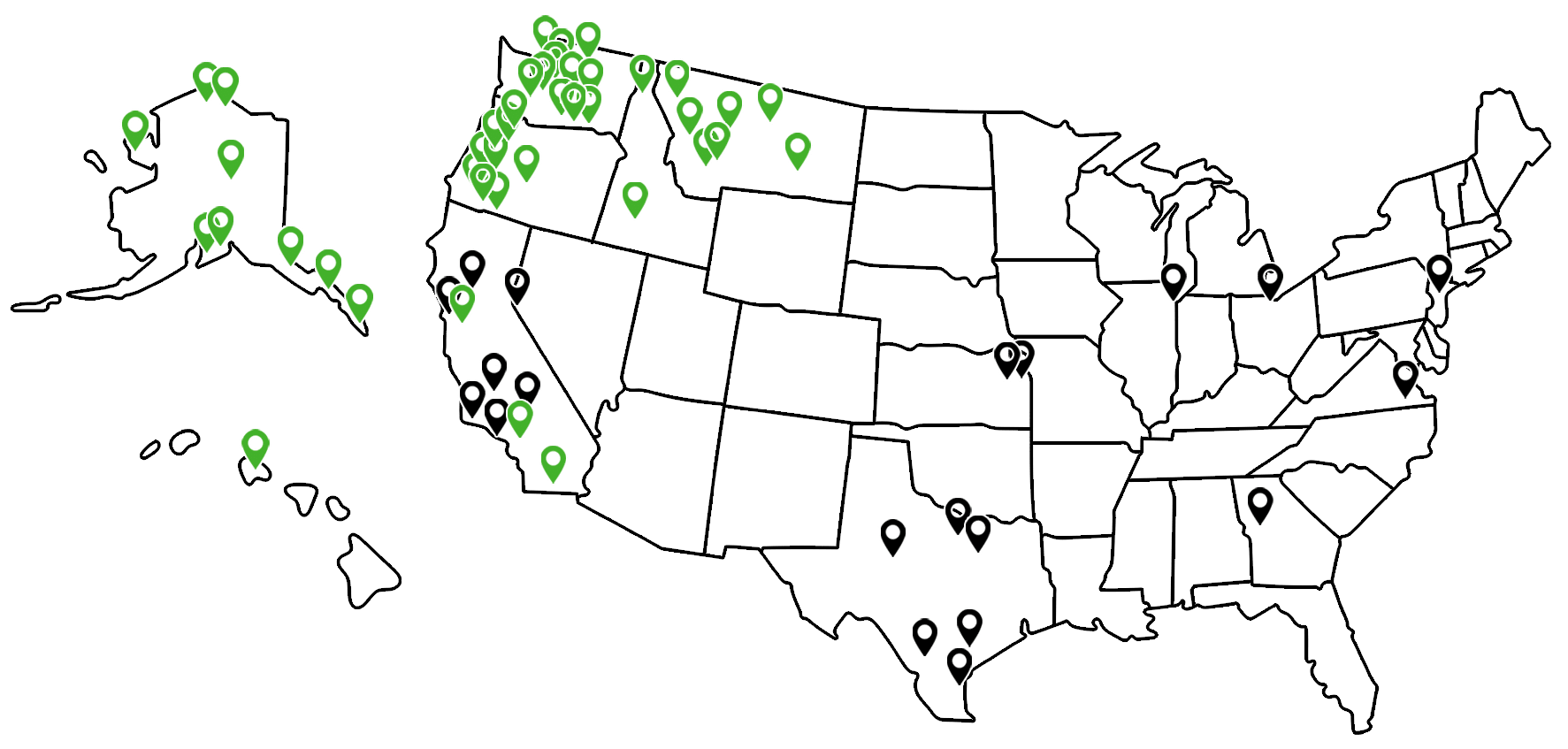
Forms implementation requires hands-on form design with the people who use them. The work happens locally.
Local. Regional specialists for on-site form discovery, design, and user training.
National. Multi-location operations get coordinated forms across every site. Same forms. Same integration. Same data quality.
Why Partners Choose Kelley Create for Digital Forms
DocuWare Forms experts with field deployment experience.
The architect designing your forms knows what works on a phone in the rain, on a kiosk in a waiting room, and on a web page from a customer’s living room. Each context is different. The specialists know the difference.
Longtime DocuWare Partner.
DocuWare Forms integrates natively with DocuWare BPA, ECM, and AP modules.
Form design that matches the actual user.
Field worker on a phone in the rain. Patient on a tablet in a waiting room. Customer on the web. Each gets a form designed for that context.
Mobile-first with offline capability.
Forms work where the work happens, including places with poor connectivity. Sync when network returns.
Workflow integration from day one.
Form submissions don’t just save. They trigger workflows. Routing, approvals, notifications, system updates.
Multi-location consistency.
Restaurant chains, healthcare networks, field service operations. Same forms across every location with centralized analytics.
Honest about scope.
Some forms aren’t worth digitizing yet. We tell you which ones and prioritize the digitization that pays back fastest.
Who Digital Forms Is For
Field service operations where techs carry clipboards and the office spends days catching up on Monday morning paperwork.
Healthcare practices with patient intake on paper or PDFs that gets re-keyed into EMR or practice management.
Customer-facing businesses with applications, signups, or onboarding still running on paper or fillable PDFs.
HR teams with onboarding paperwork, I-9s, W-4s, and policy acknowledgments still on paper.
Inspection and audit operations needing structured data capture with photos, GPS, and audit trails.
Multi-location operations needing consistent forms and data quality across many sites.
Case Studies: AI & Intelligent Solutions
Real businesses. Real Outcomes. Click to view all Case Studies.









Most Digital Forms Projects Deploy Fast (Single Forms in Weeks) and Pay for Themselves Quickly Through Eliminated Data Entry.
click here to get started
Ready to Stop Sending People Into the Field With Clipboards?
The field tech driving 40 minutes back to the office isn’t a field tech problem. It’s a forms problem. Paper at the edges of your business is a tax on every transaction. The fix isn’t more drive time. It’s digital forms that capture data at the moment it exists, validate it on the spot, and flow it directly into the systems where it needs to live.
Free forms assessment, no obligation. We inventory your highest-volume paper and PDF forms, identify the biggest ROI targets, and produce a specific business case for the digitization.
DocuWare Forms. Mobile-first. Workflow integration from day one.

Frequently Asked Questions
-
How is this different from Google Forms or Microsoft Forms?
Google Forms and Microsoft Forms are good for simple surveys and basic data collection. They struggle with workflow triggers, downstream system integration, conditional logic at scale, offline mobile capture, signature capture with audit trail, and compliance evidence requirements. Real business forms platforms handle those things natively.
-
What about offline capability for field workers?
-
Can the forms integrate with our ERP/CRM/EMR?
-
What about signatures? Are they legally binding?
-
Can patients fill out intake from home?
-
What about HIPAA compliance?
-
How long does form digitization take?
-
Can we start with one form and expand?
-
What about workflow after the form submits?
-
Does it work on customer-owned devices?
-
What about form analytics?
-
How does pricing work?