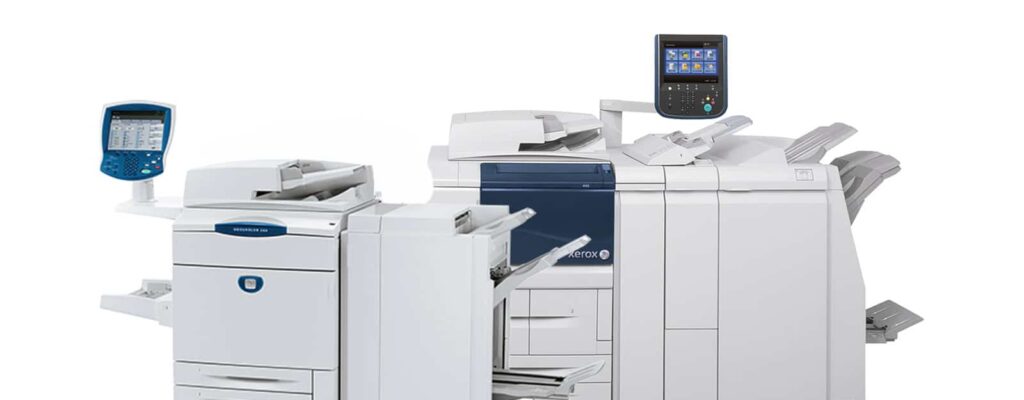
Are Toshiba Multifunction Printers Able to Print From the Cloud?
Contents
Key Takeaways
- Toshiba MFPs fully support secure cloud printing
- Microsoft 365 and Google Workspace integrations are built-in
- Mobile and remote printing support modern work styles
- Security is a core feature, not an add-on
- Cloud workflows can reduce reliance on print servers
Yes, Toshiba multifunction printers can print from the cloud. That’s the short answer. The longer (and more useful) answer is: yes, and in ways that actually make sense for modern workplaces.
Cloud printing used to be a novelty. A “nice-to-have.” Something you showed off during an IT meeting and never quite trusted in real life. Today, it’s table stakes. If your printers can’t talk to the cloud securely, they’re basically fax machines with better PR.
Before we get into Toshiba specifics, though, it helps to level-set. “Cloud printing” has evolved a lot over the years, and what it means today is very different from the early experiments that left IT teams… skeptical.
What Cloud Printing Means Today
Cloud printing has grown up. What once felt experimental is now a core part of how modern offices move documents, especially as teams spread out and infrastructure moves upstream. Understanding today’s definition helps separate true cloud capability from outdated buzzwords.
Modern cloud printing isn’t just about sending a file from your phone. In today’s workplaces, it usually means:
-
Printing directly from cloud storage instead of local servers
-
Secure authentication tied to user identities
-
Support for hybrid and remote teams
-
Integration with platforms people already use every day
-
Less dependency on on-prem infrastructure
Now that we’re clear on what cloud printing actually means today, the next question is obvious: how does Toshiba fit into this picture?
Spoiler alert—it’s not an afterthought.
How Toshiba MFPs Support Cloud Printing
Toshiba didn’t bolt cloud features onto legacy hardware and call it a day. Its approach is built into the platform itself, allowing cloud workflows to feel intentional rather than improvised. This foundation makes the day-to-day experience smoother for both users and IT.
Toshiba’s cloud capabilities are built on its e-BRIDGE platform, which connects multifunction printers directly to cloud services and workflows—without requiring duct tape, custom scripts, or crossed fingers.
Common cloud-printing capabilities include:
-
Printing and scanning directly to and from cloud storage
-
Cloud-based user authentication
-
Mobile and remote print job submission
-
Secure pull-print workflows
The foundation matters, but so do the real-world tools your team already relies on. Let’s talk about the platforms Toshiba plays nicely with—because nobody wants to reinvent workflows just to print a PDF.
Supported Cloud Platforms and Services
Cloud printing only works if it fits naturally into the tools people already use. Toshiba focuses on deep integrations with mainstream productivity platforms, so users don’t have to change habits just to print a document.
For organizations standardized on Microsoft, seamless integration is critical. Toshiba’s support for OneDrive and SharePoint allows documents to move easily between digital and physical formats without breaking security or workflow continuity.
Toshiba MFPs integrate cleanly with Microsoft 365, allowing users to:
-
Print documents directly from OneDrive or SharePoint
-
Scan files back into cloud folders
-
Use Microsoft identities for authentication and access control
Microsoft outlines how Microsoft 365 handles cloud services, identity, and access management in its official platform overview, which provides useful context for understanding how print workflows fit into a broader enterprise environment.
Google Workspace (Google Drive)
Google-centric environments benefit from the same simplicity. Toshiba’s compatibility with Google Drive ensures cloud-native teams can print and scan without leaving the ecosystem they already rely on.
For organizations living in Gmail, Docs, and Drive:
-
Users can print files stored in Google Drive
-
Scanned documents can be saved directly to shared folders
-
Mobile-friendly workflows support Chromebooks and Android devices
Google provides an overview of Workspace that explains how its cloud productivity tools—like Drive, Docs, and Gmail—work together, giving useful context for understanding how cloud printing fits seamlessly into modern office workflows.
Of course, cloud platforms are only half the story. The other half is mobility—because work doesn’t stop just because someone isn’t sitting ten feet from the printer.
Mobile and Remote Printing
Work doesn’t happen in one place anymore, and printing shouldn’t be stuck there either. Mobile and remote printing capabilities ensure documents are accessible when and where they’re needed—without sacrificing control or visibility.
Toshiba cloud printing supports teams who:
-
Work remotely, but still need secure print access
-
Move between offices or shared devices
-
Print from laptops, tablets, or mobile phones
Print jobs can be submitted remotely and released securely at the device. That means documents don’t sit unattended on output trays—or get “accidentally adopted” by someone else walking by.
Convenient? Yes. But convenience without guardrails is how problems start. Which brings us to the next (very important) topic.
Security Still Comes First (As It Should)
The more flexible printing becomes, the more important security gets. Cloud printing must protect sensitive data at every step, from submission to release, especially in compliance-driven environments.
Cloud printing without security is just a data breach with better branding.
Toshiba addresses security through:
-
User authentication (badges, PINs, or cloud credentials)
-
Secure print release
-
Encrypted data transmission
-
Role-based access controls
The National Institute of Standards and Technology (NIST) guides cybersecurity best practices, offering helpful context for organizations looking to implement secure cloud printing and protect sensitive documents in modern workflows.
With stronger cloud workflows and security controls in place, it’s fair to ask the question that makes server closets everywhere nervous.
Do You Still Need a Print Server?
Cloud printing naturally raises questions about legacy infrastructure. As workflows move away from on-prem systems, many organizations are finding they can simplify their environment without giving up reliability or control.
Sometimes. Often, no.
Many Toshiba cloud workflows reduce—or eliminate—the need for traditional on-prem print servers. That can mean:
-
Less infrastructure to manage
-
Fewer points of failure
-
Easier scalability for growing or distributed teams
For IT teams already juggling enough systems, removing one is a win worth celebrating (quietly, of course).
Not every organization uses the cloud the same way—and that’s okay. The real value shows up when cloud printing aligns with how your people actually work.
Who Benefits Most From Toshiba Cloud Printing?
Not every workplace uses printers the same way, but some benefit more immediately from cloud-enabled workflows. These environments tend to see faster adoption, fewer support issues, and better overall print governance.
-
Hybrid and remote teams
-
Organizations standardized on Microsoft 365 or Google Workspace
-
IT departments looking to simplify infrastructure
-
Businesses prioritizing print security and compliance
-
Offices that want printing to “just work”
In other words, most modern workplaces.
Make Cloud Printing Work for Your Team
At the end of the day, cloud printing isn’t just a neat tech trick — it’s a way to keep your team productive, your documents secure, and your IT headaches to a minimum.
Toshiba multifunction printers make it easy to move between devices, platforms, and locations without missing a beat, but the real win comes when workflows, security, and people all work together.
If you’re ready to see how cloud-connected printing can simplify your office, reduce wasted time, and keep sensitive documents safe, Kelley Create can help you plan, implement, and optimize the setup that fits your team perfectly.
Don’t settle for printers that just spit out pages — let’s make your prints smart, secure, and stress-free. Reach out today and see how your workflow can finally keep pace with your ambitions.
FAQs
-
Yes. Toshiba MFPs can print directly from platforms like OneDrive, SharePoint, and Google Drive.
-
They do. Users can print, scan, and authenticate using Microsoft 365 workflows.
-
Yes. Features like secure release, encryption, and authentication help protect sensitive documents.
-
Absolutely. Jobs can be submitted remotely and released securely on-site.
-
Not always. Many organizations reduce or eliminate print servers with Toshiba cloud workflows.