How Xerox D‑Series Helps Prevent Paper Jams (and How to Stop Jams Before They Start)
Key Takeaways
- Most jams start with paper condition and environment (curl, humidity, storage) more than “bad printers.”
- In high‑volume departments, jam prevention is a systems problem: paper + tray settings + finishing + consistent habits.
- Xerox D‑Series devices are built for production environments with flexible finishing and media capabilities.
- Some configurations use an Interface Module / Interface Cooling Module to connect to finishing devices and support consistent paper handoffs.
- No one can promise “never jam,” but the right setup and standards can reduce repeat jams and shorten downtime.
Paper jams have impeccable timing. They rarely show up during a calm Tuesday with nothing on the line. They prefer deadlines, board packets, training manuals, and the exact moment someone says, “I’ll just print this real quick.”
For office admins and department managers, the real cost of a jam isn’t the sheet of paper. It’s the ripple effect: interrupted staff, reprints, missed delivery times, and a printer that suddenly needs a babysitter.
The good news: paper jams usually aren’t random. And preventing repeat jams is less about “being good at printers” and more about setting up a reliable system—paper, environment, settings, and workflow habits working together. (Yes, even in 2026, paper still requires emotional support.)
Why Paper Jams Happen (It’s Usually Not the Printer)
To understand how to prevent jams, it helps to know what’s really going on. In many cases, the printer isn’t “failing”—it’s reacting to paper that’s behaving differently than expected.
The 90‑Second Checklist (Manager-Friendly)
When jams suddenly increase, start here:
- Paper storage changed: Was the paper left open? Moved near an exterior wall? Stored in a warmer/cooler area?
- Environment changed: Big swings in humidity or temperature can affect paper behavior.
- Paper changed: New brand, different weight, different finish, or mixed stock in the same tray/run.
- Tray setup changed: Paper guides loosened, tray overfilled, or someone swapped paper but didn’t update tray settings.
- Pattern vs. fluke: If it keeps happening in the same area or with the same jobs, it’s a repeatable cause—not bad luck.
Why Variability Matters
High-volume printers move paper quickly and repeatedly. That means small differences (moisture, curl, static, stiffness) can become big problems at speed.
Paper Curl: The Sneaky Jam Multiplier
If paper jams had a “most wanted” list, paper curl would be near the top.
What Curl Looks Like in Real Life
You don’t need a microscope. Curl tends to show up as:
- Output that arches upward or downward when stacked
- Increased misfeeds during longer runs
- More trouble when jobs involve finishing (folding, stacking, booklet work)
What Office Admins Can Control (Without Becoming “The Printer Person”)
You don’t need to tweak internal settings all day. The biggest wins tend to come from:
- Standardizing paper types (approved list for common jobs)
- Storing paper consistently (sealed, stable environment)
- Avoiding mid‑run “paper experiments” (mixing brands/finishes can be chaos)
How Xerox D‑Series Reduces Jam Risk
This is where the hardware matters—but not in the “memorize every spec” way. It matters in the “design choices that make work more reliable” way.
Built for Production Environments
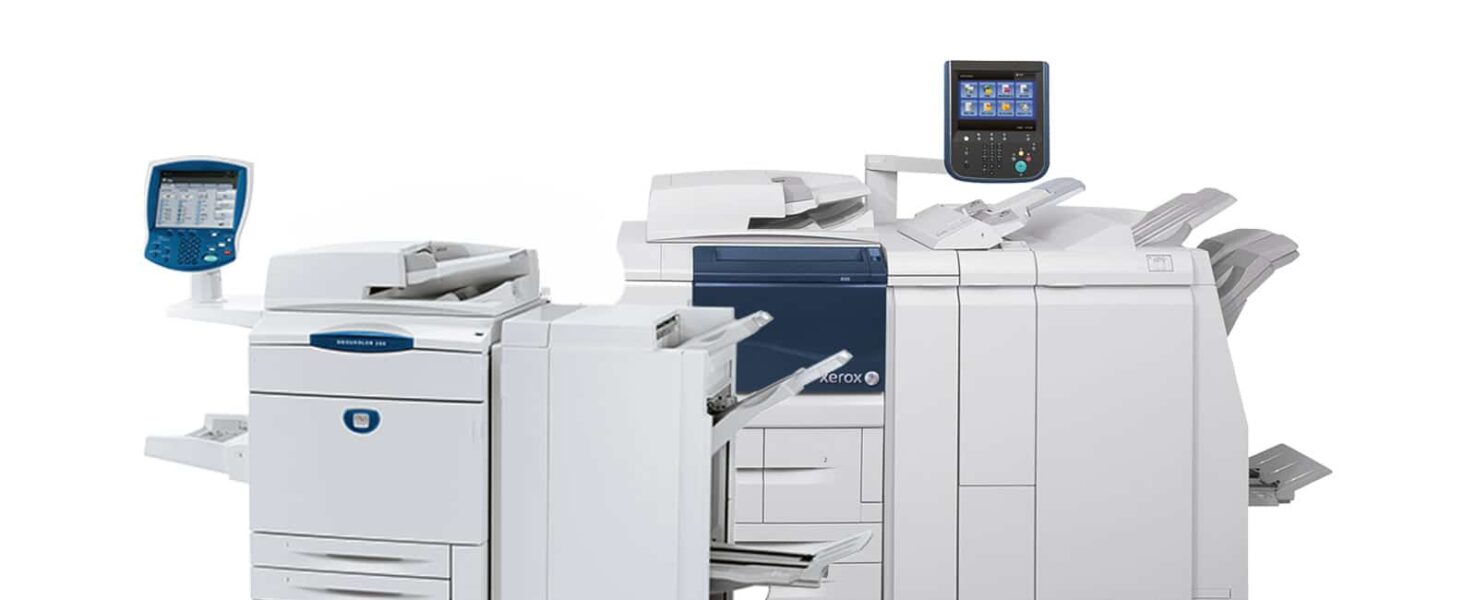
The D‑Series line is designed for dependable performance in high‑volume print environments, where consistency and finishing flexibility matter.
The Finishing Handoff Is a Common Trouble Spot
In real workflows, jams don’t only happen “inside the printer.” They often happen during transitions—especially when printed output moves from the print engine into finishing equipment.
Interface Module / Interface Cooling Module (In Some Configurations)
Certain D‑Series configurations use an Interface Module or Interface Cooling Module when paired with specific finishing devices. These modules help provide a consistent paper path and communication between the print engine and finishing devices. The Interface Cooling Module adds fans and ductwork to aid in cooling outgoing printed media.
That matters for admins/managers because it supports a simple goal: smoother, more predictable output when finishing is part of the job mix.
Faster Recovery When Jams Do Occur
Even well-designed systems can jam occasionally. The key is minimizing disruption: clear prompts, predictable access points, and quick recovery so production can get back on track.
The Admin Playbook: Prevent Repeat Jams Without Babysitting the Printer
If you want fewer interruptions, treat jam prevention like any other departmental process: standardize what matters and remove guesswork.
1) Standardize Paper (The Easiest Win)
- Create an approved paper list for day-to-day printing (a few core stocks cover most needs).
- Keep specialty paper clearly separated and labeled.
- Avoid switching paper types in shared trays without updating settings.
2) Standardize Tray Labels and Settings (Stop Making the Device Guess)
- Label trays clearly so staff doesn’t “take a guess” and hope it works.
- Make it a norm: if someone changes paper type, they update the tray setting (or notify the person who does).
3) Reduce “Human Touches” in Repeat Jobs
A lot of print chaos comes from tiny manual decisions repeated all day:
- “Which tray should I use?”
- “Is this thick paper or just… fancy paper?”
- “Why did this print differently from yesterday?”
For repeat jobs (meeting packets, HR onboarding, training materials), presets and consistent paper choices reduce variation and errors.
4) Watch for Patterns (They’re Solvable)
If jams are:
- Frequent on one specific job type
- Linked to one tray
- Linked to one paper brand/finish
- Linked to finishing steps
…you’re not dealing with a mystery. You’re dealing with a repeatable cause, which is exactly the kind of problem a workflow review can fix.
Can Jams Still Happen? Yes. But Downtime Doesn’t Have To.
Even the best systems can’t eliminate jams forever—paper varies, environments vary, and no printer can rewrite physics.
The practical goal isn’t perfection. It’s:
- fewer repeat jams
- faster recovery
- less disruption to staff
- predictable output even when workloads spike
How Kelley Create Helps (Workflow Expertise, Not “Printer Babysitting”)
If your department relies on high-volume printing, the goal isn’t just “clear the jam.” It’s to prevent repeat disruptions by stabilizing the system: paper standards, tray practices, finishing configuration, and job presets.
If you want, we can help you:
- Identify whether the root cause is paper, environment, settings, finishing, or workflow habits
- standardize the everyday print setup, so output is consistent even when different people run jobs
- Reduce downtime by making jam events less frequent and less disruptive
Bottom line: printing shouldn’t derail your day. It should quietly work in the background—like it’s supposed to.
FAQs
-
Often it’s paper condition—especially curl and environmental factors—rather than a broken printer.
-
Curl is when paper bends upward or downward instead of staying flat. Curled paper is more likely to drift off the intended path and misfeed.
-
D‑Series systems are designed for high-volume reliability and can be configured with finishing and media-handling options that support consistent output.
-
These are optional finishing-related modules used with certain configurations. The Interface Cooling Module includes fans and duct work to aid in cooling outgoing printed media.
-
Not completely—paper variation means jams can still occur occasionally.
-
Start with what changed: paper brand/stock, storage conditions, humidity/temperature, tray loading, or tray settings.